
Keep vendors and timing in the wedding-day plan.
Coordinate booked vendors, arrival times, locations and point people in your client’s shared wedding plan.
For planners and coordinators supporting a bride’s shared wedding plan.
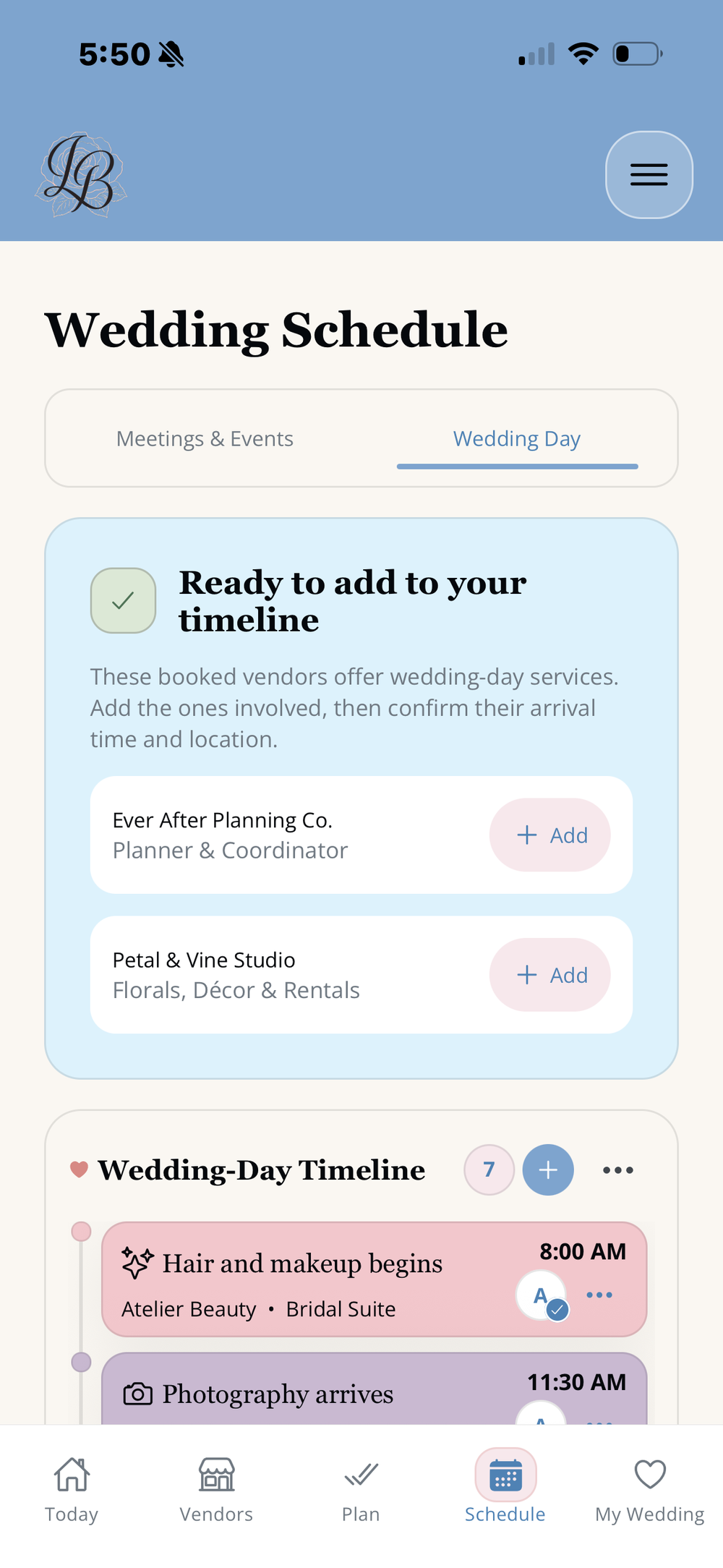
Build the schedule around the booked team.
Keep each vendor’s service, arrival time and location with the relevant timeline moment.
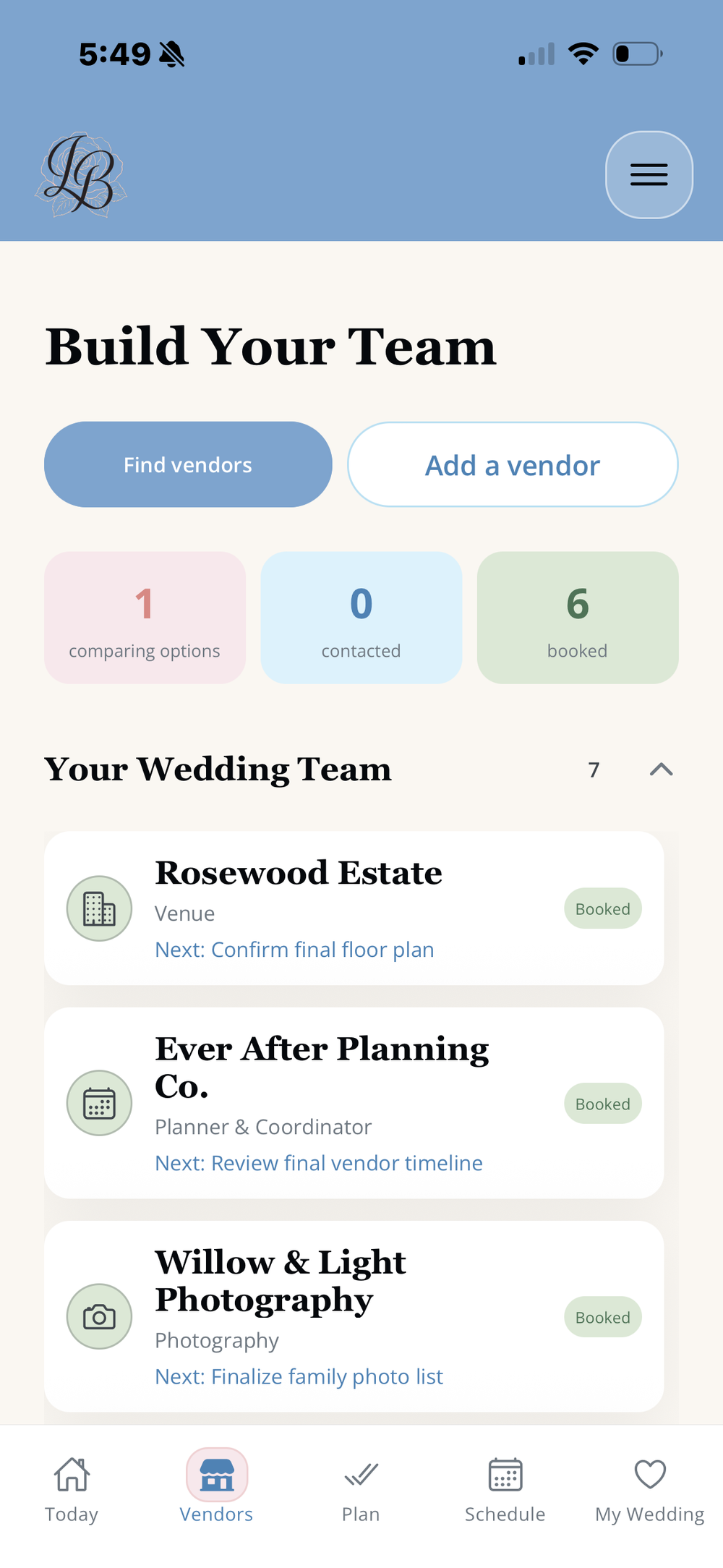
Coordinate the details of the day.
- Review the client’s booked wedding team.
- Add wedding-day vendors to the appropriate timeline moments.
- Confirm vendor arrival times and locations.
- Keep the point person with the moment they are supporting.
- Separate planning appointments from the wedding-day schedule.
- See the day in chronological order.
Wedding planner timeline questions.
Can a planner and bride share the same wedding timeline?
Yes. The bride can invite a planner or coordinator to help with her LaBelle Bridal wedding plan while retaining ownership of it.
Can booked vendors be added to wedding-day moments?
Yes. Booked professionals providing wedding-day services can be connected to the moments where their work belongs.
Can the timeline include arrival times and locations?
Yes. Wedding-day moments can include times, locations and the relevant people involved.
Are planning appointments separate from the wedding day?
Yes. Meetings & Events organizes planning appointments separately from the Wedding Day timeline.
Does this replace a planner’s full business-management platform?
No. LaBelle Bridal supports the shared client wedding plan. It is not presented as a replacement for contracts, invoicing, lead management or a planner’s complete business system.
Is this the multi-client planner page?
No. This page focuses on timeline and vendor execution for one client wedding. Multi-client organization is covered separately.
More tools for planners
Plan the wedding day with your client.
Download LaBelle Bridal to support your client’s shared wedding plan.
Download LaBelle Bridal